'/%3E %3Ccircle cx='52' cy='51' r='27' fill='url(%23w)'/%3E%3Ccircle cx='52' cy='51' r='19' fill='url(%23r)'/%3E%3Ccircle cx='52' cy='51' r='11' fill='url(%23w)'/%3E%3Ccircle cx='52' cy='51' r='5' fill='%23e11d48'/%3E %3Cpath d='M24 38A32 32 0 0 1 62 20 40 40 0 0 0 24 38z' fill='%23fff' opacity='.3'/%3E %3Cpath d='M28 27 10 14l5 17z' fill='url(%23f)'/%3E%3Cpath d='M28 27 17 8l16 6z' fill='url(%23f)' opacity='.8'/%3E %3Cpath d='M27 26 43 42' stroke='url(%23au)' stroke-width='7' stroke-linecap='round'/%3E%3Cpath d='M43 42 52 51' stroke='%23e2e8f0' stroke-width='3' stroke-linecap='round'/%3E %3Cpath d='M26 23 40 37' stroke='%23fff' stroke-width='1.500' stroke-linecap='round' opacity='.7'/%3E%3C/svg%3E "Missions Hot Streak Casino")

'/%3E%3Crect x='48' y='44' width='29' height='38' rx='6' fill='%23000' opacity='.14'/%3E %3Crect x='14' y='31' width='68' height='17' rx='6' fill='url(%23l)'/%3E%3Crect x='14' y='43' width='68' height='5' rx='2.5' fill='%23000' opacity='.16'/%3E %3Crect x='41' y='31' width='14' height='51' fill='url(%23au)'/%3E%3Crect x='50' y='31' width='5' height='51' fill='%23b45309' opacity='.35'/%3E %3Cpath d='M48 31C40 9 13 10 21 27c4 8 19 7 27 4z' fill='url(%23au)'/%3E%3Cpath d='M48 31c8-22 35-21 27-4-4 8-19 7-27 4z' fill='url(%23ad)'/%3E %3Cpath d='M44 28c-5-9-15-11-16-5-.6 4 9 6 16 5zM52 28c5-9 15-11 16-5 .6 4-9 6-16 5z' fill='%237c2d12' opacity='.35'/%3E %3Ccircle cx='48' cy='30' r='6' fill='url(%23au)' stroke='%23b45309' stroke-width='1.500'/%3E %3Crect x='19' y='35' width='19' height='3.500' rx='1.750' fill='%23fff' opacity='.55'/%3E%3Cpath transform='translate(80 20) scale(1)' d='M0-7 1.800-1.800 7 0 1.800 1.800 0 7-1.800 1.800-7 0-1.800-1.800z' fill='%23fff'/%3E%3Cpath transform='translate(12 60) scale(0.6)' d='M0-7 1.800-1.800 7 0 1.800 1.800 0 7-1.800 1.800-7 0-1.800-1.800z' fill='%23fff'/%3E%3C/svg%3E "Bonus Hot Streak Casino")
'/%3E%3Ccircle cx='48' cy='50' r='37' fill='%2392400e'/%3E%3Ccircle cx='48' cy='47' r='37' fill='url(%23au)'/%3E%3Ccircle cx='48' cy='47' r='29' fill='%231e1b4b'/%3E %3Cpath d='M48 47 59.1 20.2A29 29 0 0 1 74.8 35.9z' fill='%23ec4899'/%3E%3Cpath d='M48 47 74.8 35.9A29 29 0 0 1 74.8 58.1z' fill='%2314b8a6'/%3E%3Cpath d='M48 47 74.8 58.1A29 29 0 0 1 59.1 73.8z' fill='%23f97316'/%3E%3Cpath d='M48 47 59.1 73.8A29 29 0 0 1 36.9 73.8z' fill='%23ef4444'/%3E%3Cpath d='M48 47 36.9 73.8A29 29 0 0 1 21.2 58.1z' fill='%23f59e0b'/%3E%3Cpath d='M48 47 21.2 58.1A29 29 0 0 1 21.2 35.9z' fill='%2322c55e'/%3E%3Cpath d='M48 47 21.2 35.9A29 29 0 0 1 36.9 20.2z' fill='%233b82f6'/%3E%3Cpath d='M48 47 36.9 20.2A29 29 0 0 1 59.1 20.2z' fill='%23a855f7'/%3E%3Ccircle cx='48' cy='47' r='29' fill='none' stroke='%23000' stroke-width='1' opacity='.25'/%3E%3Ccircle cx='60.4' cy='17.0' r='2.200' fill='%23fff'/%3E%3Ccircle cx='78.0' cy='34.6' r='2.200' fill='%23fff'/%3E%3Ccircle cx='78.0' cy='59.4' r='2.200' fill='%23fff'/%3E%3Ccircle cx='60.4' cy='77.0' r='2.200' fill='%23fff'/%3E%3Ccircle cx='35.6' cy='77.0' r='2.200' fill='%23fff'/%3E%3Ccircle cx='18.0' cy='59.4' r='2.200' fill='%23fff'/%3E%3Ccircle cx='18.0' cy='34.6' r='2.200' fill='%23fff'/%3E%3Ccircle cx='35.6' cy='17.0' r='2.200' fill='%23fff'/%3E %3Cpath d='M23 36A28 28 0 0 1 58 21 36 36 0 0 0 23 36z' fill='%23fff' opacity='.28'/%3E %3Ccircle cx='48' cy='47' r='9' fill='url(%23h)' stroke='%23b45309' stroke-width='1.500'/%3E%3Ccircle cx='46' cy='45' r='3' fill='%23fff' opacity='.8'/%3E %3Cpath d='M48 22 39 4h18z' fill='%23ef4444' stroke='%23fff' stroke-width='2' stroke-linejoin='round'/%3E%3C/svg%3E "Wheel Hot Streak Casino")
' stroke='%23b45309' stroke-width='1.500' stroke-linejoin='round'/%3E %3Cpath d='M48 16 73 26v20c0 15-11 26-25 33-14-7-25-18-25-33V26z' fill='url(%23ad)'/%3E %3Cpath d='M48 16 73 26v20c0 15-11 26-25 33z' fill='%23000' opacity='.12'/%3E %3Cpath d='M48 28 64 45 48 69 32 45z' fill='url(%23g)' stroke='%23fff' stroke-width='1.500' stroke-linejoin='round'/%3E %3Cpath d='M48 28 55 45 48 69 41 45z' fill='%23fff' opacity='.3'/%3E%3Cpath d='M32 45h32' stroke='%23fff' stroke-width='1.200' opacity='.7'/%3E %3Cpath d='M19 22 44 12v4L23 25v20c0 5 1 9 3 13-5-6-7-12-7-19z' fill='%23fff' opacity='.5'/%3E%3Cpath transform='translate(76 14) scale(0.8)' d='M0-7 1.800-1.800 7 0 1.800 1.800 0 7-1.800 1.800-7 0-1.800-1.800z' fill='%23fff'/%3E%3C/svg%3E "Loyalty Hot Streak Casino")
'%3E%3Crect x='12' y='30' width='66' height='38' rx='5' fill='url(%23c1)' stroke='%2314532d' stroke-width='1.500'/%3E%3Crect x='17' y='35' width='56' height='28' rx='3' fill='none' stroke='%23dcfce7' stroke-width='1.500' opacity='.7'/%3E%3Ccircle cx='45' cy='49' r='9' fill='%23dcfce7' opacity='.55'/%3E%3C/g%3E%3Cg transform='rotate(4 46 48)'%3E%3Crect x='12' y='30' width='66' height='38' rx='5' fill='url(%23c2)' stroke='%2314532d' stroke-width='1.500'/%3E%3Crect x='17' y='35' width='56' height='28' rx='3' fill='none' stroke='%23dcfce7' stroke-width='1.500' opacity='.7'/%3E%3Ccircle cx='45' cy='49' r='9' fill='%23dcfce7' opacity='.55'/%3E%3C/g%3E %3Ccircle cx='68' cy='68' r='19' fill='%2392400e'/%3E%3Ccircle cx='68' cy='65' r='19' fill='url(%23k)'/%3E%3Ccircle cx='68' cy='65' r='14' fill='none' stroke='%23d97706' stroke-width='1.800'/%3E %3Cpath d='M61 67a7.500 7.500 0 1 0 2.500-7.500' fill='none' stroke='%2392400e' stroke-width='3.200' stroke-linecap='round'/%3E%3Cpath d='M58.500 55.500 65 60l-7 3z' fill='%2392400e'/%3E %3Cpath d='M54 56a16 16 0 0 1 20-7 20 20 0 0 0-20 7z' fill='%23fff' opacity='.5'/%3E%3Cpath transform='translate(18 20) scale(0.7)' d='M0-7 1.800-1.800 7 0 1.800 1.800 0 7-1.800 1.800-7 0-1.800-1.800z' fill='%23fff'/%3E%3C/svg%3E "Cashback Hot Streak Casino")
' stroke='%23b45309' stroke-width='1.800' stroke-linejoin='round'/%3E %3Cpath d='M48 21 61 49 77 30 83 70H48z' fill='%23b45309' opacity='.22'/%3E %3Crect x='12' y='66' width='72' height='16' rx='5' fill='url(%23ad)' stroke='%2392400e' stroke-width='1.500'/%3E%3Crect x='16' y='68.500' width='64' height='3' rx='1.500' fill='%23fff' opacity='.45'/%3E %3Ccircle cx='19' cy='28' r='6' fill='url(%23au)' stroke='%23b45309' stroke-width='1.500'/%3E%3Ccircle cx='48' cy='19' r='6.500' fill='url(%23au)' stroke='%23b45309' stroke-width='1.500'/%3E%3Ccircle cx='77' cy='28' r='6' fill='url(%23au)' stroke='%23b45309' stroke-width='1.500'/%3E %3Ccircle cx='48' cy='75' r='5' fill='url(%23j)' stroke='%23fff' stroke-width='1.200'/%3E%3Ccircle cx='29' cy='75' r='3.500' fill='%2338bdf8' stroke='%23fff' stroke-width='1'/%3E%3Ccircle cx='67' cy='75' r='3.500' fill='%234ade80' stroke='%23fff' stroke-width='1'/%3E %3Cpath d='M21 36 33 51 30 62H18z' fill='%23fff' opacity='.4'/%3E%3Cpath transform='translate(84 16) scale(0.8)' d='M0-7 1.800-1.800 7 0 1.800 1.800 0 7-1.800 1.800-7 0-1.800-1.800z' fill='%23fff'/%3E%3C/svg%3E "VIP Club Hot Streak Casino")
'/%3E%3Ccircle cx='48' cy='48' r='28' fill='url(%23ad)' opacity='.55'/%3E%3Ccircle cx='48' cy='48' r='28' fill='none' stroke='%23fff3b0' stroke-width='1.800'/%3E %3Cpath d='M61 35 35 61' stroke='%237c2d12' stroke-width='7' stroke-linecap='round'/%3E%3Ccircle cx='37' cy='37' r='6.500' fill='none' stroke='%237c2d12' stroke-width='5.500'/%3E%3Ccircle cx='59' cy='59' r='6.500' fill='none' stroke='%237c2d12' stroke-width='5.500'/%3E %3Cpath d='M21 36A30 30 0 0 1 60 19 38 38 0 0 0 21 36z' fill='%23fff' opacity='.5'/%3E%3Cpath transform='translate(80 22) scale(0.9)' d='M0-7 1.800-1.800 7 0 1.800 1.800 0 7-1.800 1.800-7 0-1.800-1.800z' fill='%23fff'/%3E%3C/svg%3E "Promotions Hot Streak Casino")
'%3E%3Crect x='25' y='6' width='42' height='82' rx='10' fill='url(%23p)' stroke='%23aab1ff' stroke-width='2'/%3E%3Crect x='29.500' y='12' width='33' height='68' rx='6' fill='url(%23s)'/%3E %3Crect x='40' y='8.500' width='12' height='2.500' rx='1.250' fill='%23aab1ff'/%3E%3Crect x='34' y='18' width='24' height='13' rx='3' fill='%23fff' opacity='.85'/%3E %3Crect x='34' y='35' width='10.500' height='10.500' rx='2.500' fill='%23fff' opacity='.55'/%3E%3Crect x='47.500' y='35' width='10.500' height='10.500' rx='2.500' fill='%23fff' opacity='.55'/%3E %3Crect x='34' y='49' width='10.500' height='10.500' rx='2.500' fill='%23fff' opacity='.55'/%3E%3Crect x='47.500' y='49' width='10.500' height='10.500' rx='2.500' fill='%23fff' opacity='.55'/%3E %3Cpath d='M29.500 18a6 6 0 0 1 6-6h12L29.500 44z' fill='%23fff' opacity='.22'/%3E%3C/g%3E %3Ccircle cx='70' cy='70' r='16' fill='url(%23d)' stroke='%23fff' stroke-width='2.500'/%3E%3Cpath d='M70 61v15M63.500 70.500 70 77l6.500-6.500' fill='none' stroke='%23fff' stroke-width='3.500' stroke-linecap='round' stroke-linejoin='round'/%3E%3C/svg%3E "Hot Streak Casino App")
Hot Streak Casino Login
Logging in to Hot Streak Casino takes moments: enter your email and password on the sign-in page or inside the native app, confirm any security prompt, and you're straight into your account dashboard. This guide walks through desktop and mobile access, password recovery, the most common sign-in hiccups, two-step verification, and what to do if your account needs extra checks after a win.
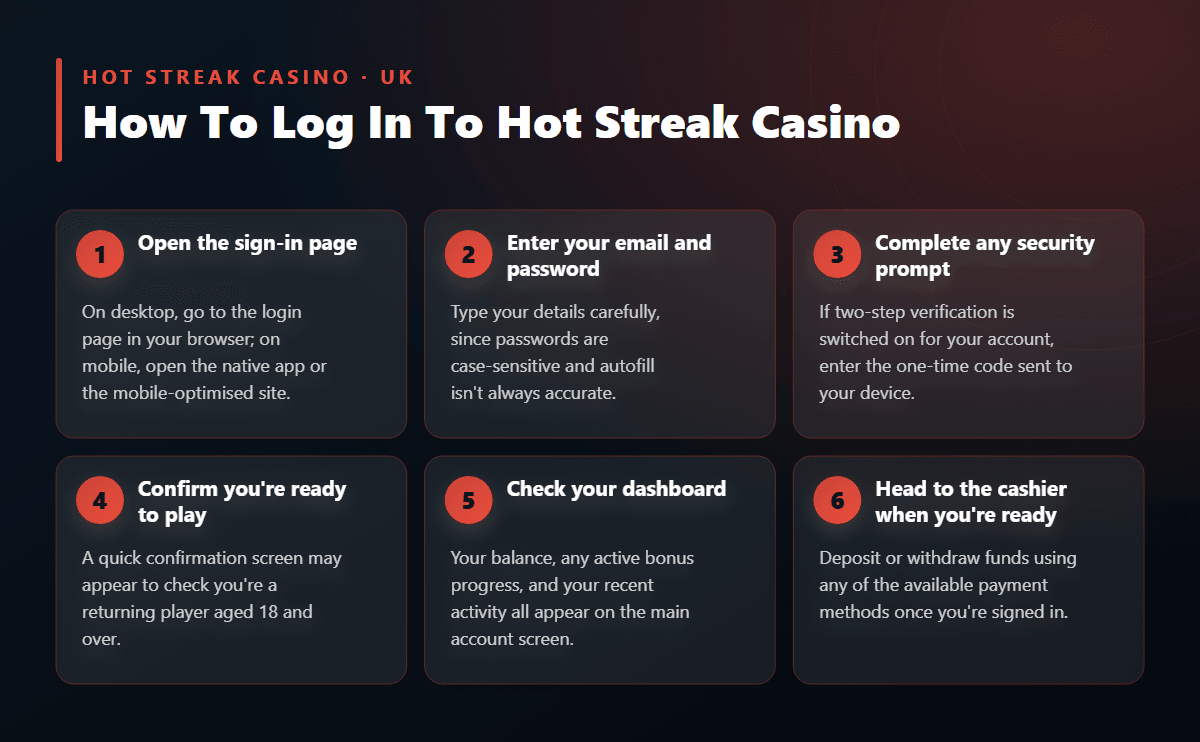
How To Log In To Hot Streak Casino
The same short process works whether you're on a computer, a browser on your phone, or the native app.
- Open the sign-in page On desktop, go to the login page in your browser; on mobile, open the native app or the mobile-optimised site.
- Enter your email and password Type your details carefully, since passwords are case-sensitive and autofill isn't always accurate.
- Complete any security prompt If two-step verification is switched on for your account, enter the one-time code sent to your device.
- Confirm you're ready to play A quick confirmation screen may appear to check you're a returning player aged 18 and over.
- Check your dashboard Your balance, any active bonus progress, and your recent activity all appear on the main account screen.
- Head to the cashier when you're ready Deposit or withdraw funds using any of the available payment methods once you're signed in.
Logging In On Desktop And Mobile
The sign-in process is the same whether you're sitting at a laptop or tapping away on your phone: enter the email address and password you used to register, then confirm any security prompt that appears. On a computer, the login page loads in any modern browser without extra software. On mobile, you can use the mobile-optimised site through your phone's browser, or install the native app for a slightly quicker, app-style experience with notifications for account updates and promotions.
If you switch between devices often — logging in from a work computer one day and your phone on the commute the next — it helps to use a password manager so you're never caught out by a mistyped character. The native mobile app also tends to remember your session longer than a browser does, which cuts down on how often you need to re-enter your password at all.
Either way, the account you land on is identical: the same balance, the same bonus progress, and the same game library, so there's no need to pick one device over the other for convenience's sake.
Login Problems: Quick Fixes Vs When To Contact Support
| Issue | Likely cause | Try this first | Contact support if... |
|---|---|---|---|
| Password rejected | Caps Lock on or an outdated saved autofill | Retype the password manually and check for extra spaces | The reset email never arrives, including in spam |
| Page or app won't load | Cached files or a pending app update | Clear your browser cache or update the app from the store | The screen stays blank or crashes repeatedly |
| Security code never arrives | Weak signal or an outdated contact method on file | Request a new code and check your device's signal | No code arrives after several requests |
| Account shown under review | Identity documents are being checked | Keep clear copies of your documents ready to upload | The review runs far longer than expected |
| Balance looks out of date | A recent transaction hasn't refreshed yet | Refresh the account page or log out and back in | The balance still looks wrong after refreshing |
| Withdrawal stuck after a win | Extra checks triggered on a larger payout | Check your verification status in account settings | Funds stay on hold well beyond the usual timeframe |
Resetting A Forgotten Password Or Username
Forgotten your password? Use the reset link on the sign-in page rather than guessing repeatedly — too many failed attempts can temporarily lock the login form as a protective measure. You'll receive a reset email at the address you registered with; follow the link, choose a new password, and sign in as normal. If the email doesn't appear within a few minutes, check your spam or promotions folder before assuming something's gone wrong.
Forgotten which email you registered with is a little trickier, since the reset form needs an address to send the link to. If you have access to a few email accounts you might have used, try each one. Otherwise, the support team can look up your account using other details you provided at registration, such as your name and date of birth, and help you regain access without starting from scratch.
Two-Step Verification And Keeping Your Login Secure
If two-step verification is switched on for your account, signing in involves one extra step after your password: a one-time code sent to your phone or email, which you enter to confirm it's really you. This adds a genuinely useful layer of protection, especially if you ever log in from a new device or an unfamiliar location. Codes are normally time-limited, so simply request a fresh one if the first expires before you've entered it.
Lost your phone or changed your number? You won't be able to receive the code the usual way, but support can verify your identity through other means and help you update your security settings so you're not locked out going forward. Beyond two-step verification, a few habits make a real difference day to day: use a password you don't reuse on other sites, avoid saving it on shared or public computers, and log out properly when you finish a session rather than simply closing the tab.
Common Login Problems And How To Fix Them
Most login issues fall into a handful of familiar categories, and the majority you can clear up yourself in under a minute. The table below separates quick fixes you can try straight away from situations where it's genuinely faster to contact support rather than keep retrying the same thing.
App or site crashes are usually the most frustrating because they feel serious but are often nothing more than a cached file that needs clearing or an update waiting to install. Before contacting support about a crash, try closing the app completely rather than leaving it running in the background, switch between Wi-Fi and mobile data to rule out a connection issue, and check whether an update is sitting in your app store.
Verification Timing: Confirm Your Identity Before You Win, Not After
Identity verification is a standard part of using any online casino account, and the timing matters more than players often realise. Completing it early, ideally before your first deposit rather than after a big win, means your account is already cleared when you come to withdraw, so there's nothing holding up a payout at the exact moment you want it most.
If your account does get placed under review, usually while documents are being checked, the quickest route through it is to have clear copies of your proof of identity and address ready to upload as soon as they're requested. Reviews tend to move faster when the documents match the details on your account exactly, including your full name and date of birth. If a review is taking noticeably longer than you'd expect, reaching out to support directly, rather than waiting it out, is the sensible move.
What You Can Do Once You're Logged In — And What To Do If Something Goes Wrong
Once you're in, your dashboard shows your balance, any active promotions, and your recent activity at a glance. From there you can browse the library of over 1,500 games, jump into a live dealer table, or head straight to the cashier to manage your deposits and withdrawals. If you're tracking a welcome bonus, you can also check its progress against the wagering requirement without needing to contact anyone.
Reviews of Hot Streak Casino on independent sites such as Trustpilot are mixed, much like reviews for most online casinos: plenty of players mention smooth logins and quick payouts, while others describe slower moments during identity checks. Reading a handful of recent reviews gives a more realistic picture than relying on marketing alone. Promotional terms can also be updated from time to time, so it's worth double-checking the exact offer shown in your cashier before depositing, since what actually gets credited can differ slightly from older adverts you might have seen elsewhere.
If a withdrawal doesn't go through the way you expected once you're logged in, the first step is a straightforward conversation with the support team, available via live chat, email or phone around the clock. If you've raised a complaint and remain unhappy with how it's been handled, the next step is an independent dispute resolution service that reviews the matter separately from the casino, a route set out under Hot Streak Casino's UK Gambling Commission licence, number 57869.